Luca Pacioli
 |
Enterprise Resource Planning (ERP) |
|
Installation Guide
|
Instructions for the installation The software sqlFinance can be downloaded from the homepage (http://www.sqlfinance.com). In the download center not only the software, but also instructions and a manual are available for the user. You choose between the sqlFinance “public version” (free version) or
the sqlFinance “full version”. As soon as you have selected a version, you
can fill out an order form. You enter your personal data and then receive
by email the link for downloading. In accordance with the instructions you
can install now sqlFinance. The default path (“c:\programs\sqlFinance”) is
defined in your operating system and can be altered during the
installation process. Notes for the installation of the full version of sqlFinance There are important differences between the sqlFinance “public version” and the sqlFinance “full version”. A short list with the features of the two versions follows below: The free version („public version“) is limited to single user mode and offers:
The full version of supports multi user mode with local and network database access (including Microsoft sqlServer) and includes the following application modules:
Notes for the use of foreign languages If you would like to use sqlFinance in connection with foreign
languages, you can use the “BT Language Manager”. A current version of the
“BT Language Manager” is available at the download center of the
sqlFinance homepage. The Language Manager should be installed directly to
the root directory “c:\”. It includes tools for the translation in any
other language and assures a consistent language use. sqlFinance
establishes a connection to the Language Manager with use of the „lmroot“
variable in the „l.ini “ file (found in the root directory of
sqlFinance).
On our homepage http://www.sqlfinance.com there is always news available about our company and our software sqlFinance.
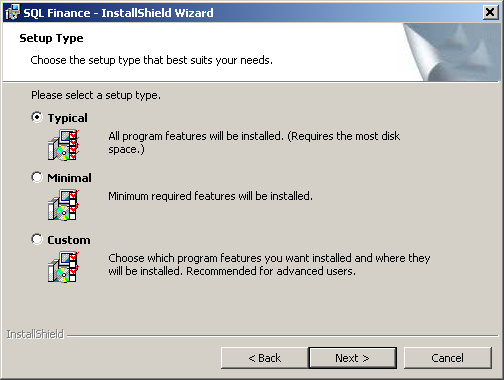
the sqlFinance installation tool |
|